
Entertainment
5 Tips to Empty Your Inbox and Keep It That Way

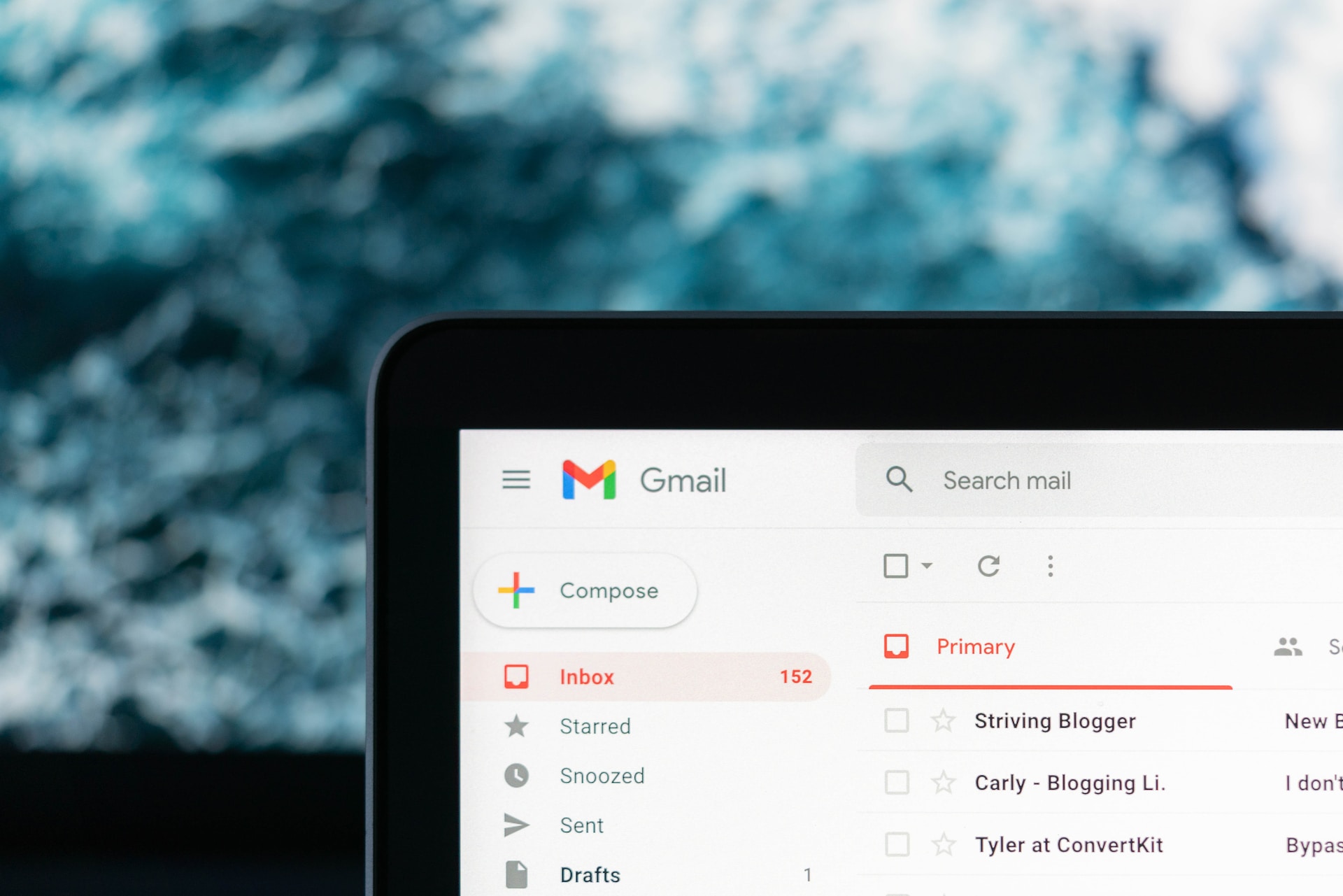
An empty email inbox provides an almost zen-like state of calmness–no pressing messages, no advertisements, and no month-old newsletters that you haven’t had a chance to read yet. Unfortunately, very few people ever see the bottom of their virtual box for long, if at all. You will be surprised at how effective this simple technique can reduce stress and clear your mind for more important tasks. Here is a list of tips that motivates you to empty your inbox and reduce stress.
Presto! An empty inbox in minutes, easy right? Wrong! That’s just like cleaning your room by throwing all your clothes and junk in a closet. You’ve got to pull double duty now: 1. You need to follow the tips below to keep your newly emptied inbox clean, so this doesn’t happen again and 2. While following these tips, you also need to periodically apply them to your “Stored Mail” messages, chipping away until that folder is empty.
– If it’s “Need to Reply”, then write a response right then. Whether it’s business-related or personal, reply with an informative, concise, and to-the-point message. The recipient would much prefer a quick and concise response to a 7 day waiting game, wondering if you even got the email they sent. Once you reply, delete the email (one down!).
– If it’s “Can Delete”, then you don’t need it anymore, and you can simply send it to the trash can.
– If it’s “Need to Read, but it’s sooo long!”, print it out, set aside the printed document, and delete the original email. Now, you can read these at anytime throughout your day: waiting in line at the bank drive-thru, waiting for something to cook, or anywhere else that you have down-time without access to your computer.
(WARNING: Don’t just let this lead to a build up of printed out emails, or you’re right back where you started. If you feel that an email was important enough to print out and read later, then make sure you put it in your briefcase or somewhere else where it will be with you throughout the day.)
Presto! An empty inbox in minutes, easy right? Wrong! That’s just like cleaning your room by throwing all your clothes and junk in a closet. You’ve got to pull double duty now: 1. You need to follow the tips below to keep your newly emptied inbox clean, so this doesn’t happen again and 2. While following these tips, you also need to periodically apply them to your “Stored Mail” messages, chipping away until that folder is empty.
Presto! An empty inbox in minutes, easy right? Wrong! That’s just like cleaning your room by throwing all your clothes and junk in a closet. You’ve got to pull double duty now: 1. You need to follow the tips below to keep your newly emptied inbox clean, so this doesn’t happen again and 2. While following these tips, you also need to periodically apply them to your “Stored Mail” messages, chipping away until that folder is empty.
– If it’s “Need to Reply”, then write a response right then. Whether it’s business-related or personal, reply with an informative, concise, and to-the-point message. The recipient would much prefer a quick and concise response to a 7 day waiting game, wondering if you even got the email they sent. Once you reply, delete the email (one down!).
– If it’s “Can Delete”, then you don’t need it anymore, and you can simply send it to the trash can.
– If it’s “Need to Read, but it’s sooo long!”, print it out, set aside the printed document, and delete the original email. Now, you can read these at anytime throughout your day: waiting in line at the bank drive-thru, waiting for something to cook, or anywhere else that you have down-time without access to your computer.
(WARNING: Don’t just let this lead to a build up of printed out emails, or you’re right back where you started. If you feel that an email was important enough to print out and read later, then make sure you put it in your briefcase or somewhere else where it will be with you throughout the day.)
– If it’s “Need to Reply”, then write a response right then. Whether it’s business-related or personal, reply with an informative, concise, and to-the-point message. The recipient would much prefer a quick and concise response to a 7 day waiting game, wondering if you even got the email they sent. Once you reply, delete the email (one down!).
– If it’s “Can Delete”, then you don’t need it anymore, and you can simply send it to the trash can.
– If it’s “Need to Read, but it’s sooo long!”, print it out, set aside the printed document, and delete the original email. Now, you can read these at anytime throughout your day: waiting in line at the bank drive-thru, waiting for something to cook, or anywhere else that you have down-time without access to your computer.
(WARNING: Don’t just let this lead to a build up of printed out emails, or you’re right back where you started. If you feel that an email was important enough to print out and read later, then make sure you put it in your briefcase or somewhere else where it will be with you throughout the day.)
I’ll confess, it took me a few tries to finally make this a habit. I would be doing great for a few days, but the onslaught of messages would finally become too much, and before I knew it, there was another page of old emails collecting dust in my inbox. I’ve finally mastered this technique and have officially cemented it as a habit–four weeks strong on the wagon and not planning on reverting to “email”ism ever again.
If you spend a fair amount of time on the computer and/or receive a lot of emails, having a clean inbox is truly rewarding and refreshing. Try it for just four weeks, and I’m sure you will agree. The first few days are the hardest, but remember: REPLY, DELETE, or PRINT!
Do you have a different technique for cleaning your inbox and/or keeping it empty? Let’s hear it!













To the digital oasis where your streaming dreams come true – Repelis24! If you’re on the hunt for a one-stop destination for all your entertainment needs, look no further. In this blog post, we’ll dive into what sets Repelis24 apart in the vast sea of streaming services and why it’s become a go-to choice for many avid viewers. So buckle up, grab some popcorn, and let’s explore the world of Repelis24 together!
How Repelis24 Stands Out in the Streaming Market
In a crowded sea of streaming services, Repelis24 shines as a beacon of quality and variety. What sets Repelis24 apart is its commitment to providing an extensive library of movies and TV shows spanning across genres and languages. From Hollywood blockbusters to indie gems, there’s something for every taste on Repelis24.
Moreover, Repelis24 distinguishes itself by offering a user-friendly interface that makes navigation a breeze. With features like personalized recommendations and easy search options, finding your next binge-worthy content is effortless. The platform’s seamless streaming experience ensures uninterrupted enjoyment without any technical glitches.
Additionally, what makes Repelis24 stand out is its affordable subscription plans that cater to different budgets without compromising on content quality. This affordability paired with the diverse range of offerings makes it a top choice for entertainment enthusiasts looking for value for their money.
In the competitive landscape of streaming services, Repelis24 stands tall as a reliable source of entertainment that caters to the diverse preferences of viewers worldwide.
The Wide Range of Content Available on Repelis24
Step into the streaming oasis of Repelis24 and immerse yourself in a vast world of entertainment. From action-packed blockbusters to heartwarming rom-coms, this platform has something for every mood and taste.
Explore a diverse library of movies and TV shows spanning across various genres, including drama, comedy, horror, sci-fi, and more. Whether you’re craving a thrilling adventure or a thought-provoking documentary, Repelis24 has got you covered.
Indulge in binge-watching sessions with popular series or discover hidden gems that will keep you hooked for hours on end. With new releases constantly added to the collection, there’s always something fresh to explore.
Experience the convenience of having all your favorite content in one place without any limitations. Say goodbye to endless scrolling through different platforms – Repelis24 brings everything you love right to your fingertips.
User-Friendly Interface and Features
Navigating through the Repelis24 platform is a breeze, thanks to its user-friendly interface that caters to all types of viewers. The layout is clean and intuitive, making it easy for users to find their favorite movies and shows with just a few clicks.
One standout feature is the personalized recommendation algorithm that suggests content based on your viewing history, ensuring you never run out of things to watch. Additionally, the search function is robust, allowing you to quickly locate specific titles or genres.
The streaming quality on Repelis24 is top-notch, offering crisp visuals and smooth playback without any lag or buffering issues. Users can also create custom playlists and save their favorite titles for easy access later on.
Repelis24’s user-friendly interface and features enhance the overall streaming experience, making it a go-to destination for entertainment enthusiasts of all kinds.
Affordable Subscription Plans
When it comes to streaming services, affordability is key for many users. Repelis24 understands this need and offers subscription plans that cater to a wide range of budgets.
With different tiers available, users can choose the plan that best suits their viewing preferences without breaking the bank. Whether you’re a casual viewer or a dedicated binge-watcher, there’s an option for everyone on Repelis24.
What sets Repelis24 apart is its commitment to providing quality content at competitive prices. You don’t have to compromise on entertainment just because you’re looking for a more affordable option.
By offering affordable subscription plans, Repelis24 makes high-quality streaming accessible to a larger audience. So you can enjoy your favorite movies and TV shows without worrying about expensive monthly fees.
In today’s crowded streaming market, finding a service that balances cost and content can be challenging. Fortunately, with Repelis24’s affordable subscription plans, you can enjoy hours of entertainment without draining your wallet.
Comparison with Other Streaming Services
In the vast ocean of streaming services, Repelis24 shines like a beacon for movie enthusiasts. Unlike its competitors, Repelis24 offers a diverse range of content from classic films to the latest releases, catering to every taste and preference.
While some platforms may focus on specific genres or types of content, Repelis24 stands out by providing a one-stop destination for all your viewing needs. Its user-friendly interface and seamless navigation set it apart from other cluttered and confusing platforms.
When compared to traditional cable TV subscriptions or pricey streaming services, Repelis24’s affordable plans make quality entertainment accessible to a wider audience without breaking the bank. The value-for-money proposition is hard to beat in today’s competitive market.
Furthermore, with an ever-growing library constantly updated with new titles, Repelis24 stays ahead of the curve in keeping viewers engaged and entertained. With such a compelling offering, it’s no wonder why more and more users are turning to Repelis24 as their go-to streaming service.
The Future of Repelis24
As Repelis24 continues to expand its library and enhance its user experience, the future looks promising for this streaming platform. The company seems dedicated to staying ahead of the curve by providing a diverse range of content to cater to various tastes and preferences.
With advancements in technology, we can expect Repelis24 to further improve its streaming quality and offer more features that will elevate the overall viewing experience. The platform may also explore collaborations with content creators and producers to bring exclusive shows and movies to its subscribers.
Moreover, as competition in the streaming industry intensifies, Repelis24 will likely focus on strengthening customer relationships through personalized recommendations and interactive features. By adapting to changing trends and listening to users’ feedback, Repelis24 is poised for growth in the dynamic digital landscape.
Conclusion
As we reach the end of this journey exploring it, it’s evident that this streaming platform is a true gem in the digital landscape. Its unique features and wide range of content make it a standout choice for entertainment seekers across the globe. With its user-friendly interface and affordable subscription plans, it offers an unparalleled streaming experience.
The future of Repelis24 looks promising as it continues to grow its library and enhance its services to cater to the evolving needs of viewers. As technology advances and preferences shift, it remains dedicated to providing top-notch entertainment at your fingertips.
So next time you’re looking for a streaming oasis in the vast digital sea, remember it – your go-to destination for endless entertainment options. Stay tuned for more exciting updates and new releases on this dynamic platform!
FAQs
Is Repelis24 legal to use?
Yes, Repelis24 operates within the boundaries of copyright laws and ensures that all content available on its platform is properly licensed.
Can I watch movies and series in HD quality on Repelis24?
Absolutely! it offers a wide selection of movies and series in high-definition quality for an immersive viewing experience.
How often is new content added to Repelis24?
New content is regularly updated on it, ensuring that users have access to the latest movies and series as soon as they become available.
Is there a mobile app for Repelis24?
While there isn’t a dedicated mobile app yet, you can easily access it through your mobile browser for seamless streaming on the go.
Experience the streaming oasis that is it today, where entertainment meets convenience. With its vast library of content, user-friendly interface, affordable subscription plans, and commitment to legality – it’s clear why this platform stands out in the digital landscape. Join the countless users who have made Repelsi 24 their go-to destination for all things entertainment.
FOR FURTHER INFORMATION VISIT:http://fitbuff.com

To the exciting world of Markystreams, where innovation meets entertainment! Have you ever wondered who Marky is and what live streaming is all about? Get ready to dive into a realm filled with endless possibilities and captivating content. Join us on this journey as we explore the rising phenomenon of live streaming and how it is reshaping the way we connect, engage, and entertain online. Let’s embark on an adventure together through the lens of Markystreams – your gateway to a whole new digital experience!
The Rise of Live Streaming Platforms
Live streaming platforms have taken the digital world by storm, offering a dynamic and interactive way for content creators to connect with their audience in real time. With the rise of platforms like Markystreams, individuals can now broadcast live videos to engage viewers from all around the globe.
These platforms provide a unique opportunity for users to share their talents, passions, and experiences instantly with a global audience. Whether it’s gaming, cooking, music, or fitness, there is something for everyone on live-streaming platforms.
The accessibility and ease of use of these platforms have contributed to their exponential growth in recent years. Viewers can tune in from any device at any time to watch their favorite streamers create engaging content right before their eyes.
As technology continues to advance, we can expect live streaming platforms like Markystreams to evolve even further, providing more immersive and interactive experiences for both creators and viewers alike.
Benefits of Live Streaming for Viewers and Content Creators
Live streaming offers a multitude of benefits for both viewers and content creators alike. For viewers, live streams provide a real-time connection with their favorite creators, fostering a sense of community and interactivity that traditional pre-recorded videos cannot replicate.
Viewers also have the opportunity to engage with the content in real time through comments, likes, and shares, creating a more immersive experience. Additionally, live streaming allows viewers to access exclusive behind-the-scenes footage or live events they wouldn’t be able to see otherwise.
On the other hand, for content creators, live streaming presents an authentic way to connect with their audience on a more personal level. It enables them to receive instant feedback from viewers and adjust their content in real time based on audience reactions.
Moreover, live streaming can help creators expand their reach and grow their following as platforms often prioritize live content in algorithms. This can lead to increased visibility and opportunities for monetization through sponsorships or partnerships.
How to Get Started on Markystreams
Are you ready to dive into the exciting world of live streaming on Markystreams? Getting started is easier than you think. First, create an account on Markystreams by signing up with your email or linking your social media accounts for seamless access. Once you’re logged in, take some time to explore the platform and familiarize yourself with its features.
Next, set up your profile by adding a catchy bio, profile picture, and any relevant links to your other social media channels or websites. This will help viewers learn more about you and connect with you outside of the live streams.
Now it’s time to plan your content! Decide what type of live streams you want to broadcast – whether it’s gaming sessions, cooking tutorials, or music performances. Make sure to schedule your streams in advance so that your audience knows when to tune in.
Make sure you have the necessary equipment such as a good camera and microphone for high-quality broadcasts. And most importantly, have fun while sharing your passions with the world on Markystreams!
Tips for Successful Live Streaming on Markystreams
So, you’ve decided to dive into the exciting world of live streaming on Markystreams. Here are some tips to help you make the most out of your broadcasting experience.
First and foremost, ensure you have a stable internet connection. A strong Wi-Fi signal or an Ethernet connection can prevent any lags or interruptions during your live stream.
Next, engage with your audience. Respond to comments and questions in real-time to create a sense of community and connection with your viewers.
Don’t forget about lighting and sound quality. Good lighting can enhance the visual appeal of your stream, while clear audio is crucial for delivering your message effectively.
Plan ahead and promote your upcoming streams on social media platforms to attract more viewers. Consistency is key in building a loyal audience base.
Experiment with different content formats and timings to see what works best for you and resonates with your audience. Have fun exploring new ideas and interacting with your viewers through Markystreams!
The Future of Live Streaming: Emerging Trends and Technologies
The future of live streaming is an exciting landscape filled with emerging trends and cutting-edge technologies. As technology continues to advance, we can expect to see more interactive and immersive live streaming experiences.
One emerging trend is the rise of virtual reality (VR) and augmented reality (AR) integration in live streams, allowing viewers to feel like they are part of the action in real-time. This technology has the potential to revolutionize how we consume content online.
Another trend on the horizon is the growth of live shopping experiences, where viewers can purchase products directly from a live stream. This blending of entertainment and e-commerce opens up new opportunities for brands and content creators alike.
Artificial intelligence (AI) also plays a significant role in the future of live streaming, enabling personalized recommendations for viewers and enhancing overall user experience. With these advancements, the possibilities for live streaming are endless as we move towards a more dynamic and engaging online space.
Conclusion: Why Markystreams is the Next Big Thing in the World of Live Streaming
Picture a world where live streaming isn’t just a trend, but a way of life. Markystreams is at the forefront of this digital revolution, offering users an immersive and interactive platform to connect with audiences in real-time. With its user-friendly interface and innovative features, Markystreams has become the go-to destination for both viewers and content creators seeking to elevate their streaming experience.
The seamless integration of social media sharing options allows for wider reach and engagement, making it easier than ever to build a community around your content. Marky, the visionary behind Markystreams, understands the evolving needs of today’s digital landscape and has created a platform that caters to these demands.
As technology continues to advance and new trends emerge, Markystreams remains adaptable and forward-thinking, ensuring that users are always one step ahead in the world of live streaming. Join the movement today and experience firsthand why Markystreams is set to redefine the future of online broadcasting.
FAQs
Q: Who is Marky and what makes Markystreams unique?
A: Marky is a visionary entrepreneur who saw the potential of live streaming as a powerful form of content creation and community building. What sets Markystreams apart is its user-friendly platform, interactive features, and commitment to supporting both viewers and content creators.
Q: Can anyone start live streaming on Markystreams?
A: Yes, absolutely! Markystreams welcomes creators of all levels to share their passions, talents, or knowledge with a global audience. Whether you’re an aspiring gamer, musician, chef, or fitness enthusiast – there’s a place for you on Markystreams.
Q: How can I monetize my live streams on Markystreams?
A: Content creators have various monetization options on Markystreams. From channel subscriptions and virtual gifts from viewers to brand partnerships and sponsored content opportunities – there are multiple avenues to turn your passion into profit.
Markystreams truly offers an exciting opportunity for creators looking to showcase their skills and connect with like-minded individuals worldwide. With its growing popularity and innovative features, it’s clear that this platform is poised to revolutionize the world of live streaming. Join us today at markystreams.com and be part of the next big thing in online entertainment!
FOR FURTHER INFORMATION VISIT:http://fitbuff.com

To Showbizztoday.com Celebrity Gossips Music, where the glitz and glamour of the celebrity world collide with the latest music trends! Dive into a whirlwind of exclusive gossip, behind-the-scenes coverage, and insider interviews that will keep you hooked from start to finish. If you’re a pop culture junkie looking for your daily fix of entertainment news, then look no further – ShowbizzToday.com has got you covered!
The Latest Celebrity Gossip News: Showbizztoday.com Celebrity Gossips Music
Are you always curious about what your favorite celebrities are up to? At ShowbizzToday.com, we bring you the latest scoop on all things celebrity gossip news. From who’s dating whom to the newest fashion trends hitting the red carpet, we’ve got it all covered for you.
Our team of dedicated writers keeps their ears to the ground, making sure you’re always in the know about the hottest Hollywood buzz. Whether it’s a juicy scandal or heartwarming news, we deliver it straight to your screens.
Stay tuned as we dish out exclusive details on celebrity feuds, new projects in the works, and everything in between. You won’t want to miss a beat when it comes to staying informed about your beloved stars.
With ShowbizzToday.com as your go-to source for celebrity gossip news, you can indulge in all the glitz and glam of Tinseltown without missing a single headline.
Music Reviews and Updates: Showbizztoday.com Celebrity Gossips Music
Are you a music enthusiast looking for the latest updates and reviews on your favorite artists? Look no further than ShowbizzToday.com! Our platform offers an array of insightful and engaging content focused on the vibrant world of music.
From in-depth album reviews to exclusive interviews with top musicians, we’ve got you covered. Stay informed about upcoming releases and discover hidden gems that are making waves in the industry.
Whether you’re into pop, rock, hip-hop, or indie music, our diverse range of coverage ensures there’s something for every music lover. Dive into the dynamic landscape of musical creativity and stay ahead of the curve with ShowbizzToday.com.
Exclusive Interviews with Celebrities
Get ready to dive into the world of exclusive interviews with your favorite celebrities on ShowbizzToday.com! Our team works tirelessly to bring you behind-the-scenes conversations with stars from the music industry and Hollywood.
Discover what drives their passion, hear about their latest projects, and get insights into their personal lives that you won’t find anywhere else. From up-and-coming talents to seasoned veterans, our interviews cover a wide range of personalities and stories.
Learn about the inspirations behind chart-topping songs, the challenges of filming blockbuster movies, and everything in between. These exclusive glimpses into the lives of celebrities give fans a unique opportunity to connect with their idols on a more intimate level.
Stay tuned for upcoming interviews that will keep you informed and entertained as we continue to bring you closer to the stars than ever before!
Behind-the-Scenes Coverage of Hollywood Events
Lights, camera, action! ShowbizzToday.com takes you behind the velvet ropes and into the heart of Hollywood events. Ever wondered what goes on backstage at award shows or movie premieres? Our exclusive coverage gives you a VIP pass to see your favorite celebrities in their element.
From red-carpet interviews to after-party shenanigans, we capture all the glitz and glamour that make up these star-studded occasions. Get an insider’s look at how these events come together, from the meticulous planning to the last-minute surprises that keep everyone on their toes.
Our team of dedicated reporters brings you up close and personal with your beloved stars, sharing candid moments and unexpected interactions that only happen when the cameras aren’t rolling. Whether it’s a charity gala or a blockbuster film launch, we’re there to bring you all the juicy details straight from Tinseltown’s hottest events.
Trending Topics in the Entertainment Industry
From celebrity feuds to surprise album drops, the entertainment industry is always buzzing with trending topics that keep fans on their toes. Social media platforms like Twitter and Instagram have become hotspots for breaking news and viral moments in the world of showbiz.
One day, it’s a scandalous breakup between two A-listers making headlines. The next, it’s a chart-topping song dominating music playlists worldwide. The fast-paced nature of pop culture ensures that there’s always something newsworthy happening in Hollywood.
Whether it’s a controversial casting decision for an upcoming movie or a red-carpet fashion faux pas at a star-studded event. Entertainment enthusiasts are constantly craving the latest scoop on their favorite celebrities. Stay tuned to ShowbizzToday.com to stay in the loop with all the trending topics shaping today’s entertainment landscape.
Conclusion: Stay Up-to-Date with ShowbizzToday.com for all your Celebrity and Music News!
If you’re a fan of the latest celebrity gossip and music updates, ShowbizzToday.com is your go-to source for all things entertainment. With a mix of breaking news, and exclusive interviews with your favorite stars. Behind-the-scenes coverage of Hollywood events, this site has it all.
Stay ahead of the curve with up-to-date information on trending topics in the entertainment industry. Whether you’re interested in the newest music releases or want to know what your favorite celebrities are up to, ShowbizzToday.com has got you covered.
From red-carpet premieres to album reviews and everything in between. This website offers a comprehensive look at the world of showbiz. So why wait? Stay connected with ShowbizzToday.com to ensure you never miss out on the latest celebrity and music news!
FAQs Related to Showbizztoday.com Celebrity Gossips Music
Is ShowbizzToday.com a reliable source for celebrity gossip and music news?
Yes, ShowbizzToday.com is a reputable online platform known for providing accurate and up-to-date celebrity gossip and music news. With a team of experienced writers and industry insiders, you can trust the information you find on our site.
How often is ShowbizzToday.com updated with new content?
We strive to keep our readers informed by updating the website regularly with fresh celebrity gossip, music reviews, and exclusive interviews. Behind-the-scenes coverage of Hollywood events, and trending topics in the entertainment industry. Check back frequently to stay in the loop!
Can I expect quality content from ShowbizzToday.com?
Absolutely! We take pride in delivering high-quality content that entertains and informs our readers. Whether you’re looking for juicy celebrity gossip or insightful music reviews. We’ve got you covered with engaging articles that cater to your interests.
Stay Up-to-Date with ShowbizzToday.com for all your Celebrity and Music News!
FOR FURTHER INFORMATION VISIT:http://fitbuff.com
-

 Pet10 months ago
Dog Training Tips: Throw me a bone, will you?
-

 Entertainment2 months ago
YoungTube 101: Tapping the Youthful Side of Online Video
-

 Health10 months ago
What Is Healthy?
-

 Fitness5 months ago
The Allure of Sports T-Shirts: A Blend of Style and Team Spirit:
-

 Fitness10 months ago
Total Mind and Body Fitness Blog Carnival 165
-

 Entertainment11 months ago
4 Reasons Why She Doesn’t Call You Back
-
Fitness9 months ago
Total Mind and Body Fitness Blog Carnival 141
-

 Pet10 months ago
Best Dog Foods